
10 Powerful Free AI Tools for Bloggers on a Budget (What the “Free” Actually Costs You)

Most advice about free AI tools for bloggers on a budget skips the part that matters: nobody hands you serious software for nothing. Every free plan is a door held open just wide enough to make you want the paid room behind it. That’s the problem. You start a post fired up, the word cap slams shut halfway through, the “smart” model gets swapped for the dumb one at peak hours, and suddenly you’re rage-refreshing a login screen instead of writing. It grinds you down. Here’s the fix — a lean stack of genuinely free tools plus a plan for the exact moment each one fails you, so you stay in the writing and out of the burnout spiral.
What’s inside
- Why “Free” AI Tools Always Come With Invisible Strings
- The 10 Free AI Tools in My Actual Blogging Stack
- The Limits Nobody Warns You About (and My Workarounds)
- A Zero-Budget Workflow That Won’t Burn You Out
- Free AI Tools for Bloggers: Your Questions Answered
- My Top Recommended Gear
Why “Free” AI Tools Always Come With Invisible Strings
Free AI tools for bloggers are real and genuinely useful, but “free” buys you a deliberately limited version. Companies cap words, throttle speed, and lock the best models to nudge you toward paid plans. Treat the free tier as a fully capable starter engine with a governor bolted on — powerful, just fenced.
Ever notice how the free plan works beautifully for your first three posts, then starts stuttering right when you get momentum? That timing isn’t bad luck. It’s product design. The limits exist to let you taste the value and feel the ceiling in the same week, because a mild ache is the best sales pitch a software company owns.
Here’s the insider bit almost no roundup admits: the free tier isn’t a crippled demo — it’s the full engine with a governor bolted on. The model writing your intro on the free plan is often the same one paying users had a few months ago. You’re not getting worse thinking; you’re getting less of it, slower, with tighter export rules. Once that clicks, you stop resenting the limits and start routing around them. If you want the deeper feature-by-feature view, I go tool by tool in my full breakdown of the best AI tools for bloggers, but the short version is what you’re reading now.
And let’s kill a myth while we’re here. “Free AI means low-quality content that Google hates” — I hear it constantly, and it’s wrong. Google’s own guidance is blunt: it rewards helpful, reliable content no matter how it was produced, and only comes after content built at scale to game rankings rather than to help people. You can read that stance straight from Google Search Central’s helpful-content documentation. Free tools don’t sink you. Publishing raw, unedited output does.
The 10 Free AI Tools in My Actual Blogging Stack
So which tools survive contact with a real publishing schedule? These ten do. I’ve grouped them by the job they actually do, because a blogger on a budget needs roles filled, not a shopping list.
Which free AI tool should I use to write and brainstorm?
1. ChatGPT (free tier) is still the workhorse. It drafts intros, reshapes clunky paragraphs, and argues with me when an angle is weak. 2. Google Gemini earns its spot because it sits inside Docs and Gmail and pulls live context, which makes it my go-to for research-heavy pieces. 3. Perplexity handles fact-finding with sources attached, so I’m not trusting a confident guess. TBH, running two chat models side by side and picking the better answer costs nothing and quietly doubles your quality.

What’s the best free AI tool for cleaning up my writing?
4. Grammarly (free plan) catches the errors your tired eyes skate past at 11 p.m. 5. QuillBot rephrases sentences that came out stiff, and 6. Hemingway Editor flags the bloated ones I’d never notice on my own. This trio is where my drafts stop sounding like a first draft. For the writing-specific stack I lean on hardest, I broke it all down in my post on the AI writing tools I use most.
How can bloggers make images and graphics for free?
7. Canva (free plan) covers featured images, social graphics, and pins without a design degree. 8. Microsoft Designer / Bing Image Creator generates original visuals when a stock photo would feel lifeless. Between the two, you rarely need to pay a cent for decent blog art.
Which free AI tools help with SEO and keywords?
9. Google Search Console is the one everyone forgets is free — it tells you the exact queries already sending people your way, which is pure gold for what to write next. 10. AnswerThePublic (limited free searches) maps the real questions people type, and it pairs perfectly with the structure I describe in my guide to AI tools for blog post outlines. If you want to understand why keyword intent matters this much, Moz’s evergreen beginner’s guide to SEO is still the clearest primer out there.
The Limits Nobody Warns You About (and My Workarounds)
Ready for the part the shiny listicles leave out? Every tool above will hit a wall, and knowing where the wall sits is the difference between a smooth week and a wasted one.

Start with the caps. Several popular free writers ration you tightly — some lightweight assistants give roughly 10,000 characters a month, and a few creative tools cap free output near a couple thousand words. That sounds generous until you realize one solid post eats a big slice of it. My workaround: I draft the thinking-heavy parts (angle, argument, structure) inside the chat models with looser limits, then reserve the word-metered tools for short jobs like rewriting a stubborn paragraph or spinning three headline options.
Then there’s the quiet model swap. On free tiers, the premium model often steps aside for a lighter one during peak load, and nobody sends you a memo. You just notice the answers got flatter. My workaround: I do the hardest reasoning early in the morning, when servers are calmer and the good model is more likely to be answering. It’s a small habit that noticeably lifts output quality — and it costs nothing but timing.
Here’s the advanced move most budget bloggers never try. Instead of asking one tool to do everything, I chain them. Perplexity gathers sourced facts, ChatGPT shapes the argument, Hemingway trims the fat, Grammarly does the final polish, and Canva dresses it. Each tool touches the piece exactly once, at the stage it’s best at. That assembly line sidesteps every single free-tier cap, because no single tool ever carries the whole load. ngl, once you build the chain, the paid upgrades start looking a lot less urgent.
One more reason to respect the limits: your readers don’t consume everything you publish anyway. Decades of research from the Nielsen Norman Group show people scan web pages and read only a fraction of the words on them. So the goal isn’t more words from a bigger AI plan — it’s sharper, skimmable words the free tier can absolutely help you produce.
A Zero-Budget Workflow That Won’t Burn You Out
I’ll be honest about why this section exists. I burned out badly in my first year of doing this — not from writing, but from the constant switching, the pile of half-used tools, the nagging sense I was always missing a better one. If that low hum of overwhelm sounds familiar, this is the part that actually helps.
Expert Commentary: Drop in a walkthrough from a working blogger who demonstrates a real free-tool workflow end to end — watch specifically for how they sequence drafting, editing, and publishing rather than which app they open, because the sequence is the skill worth stealing.
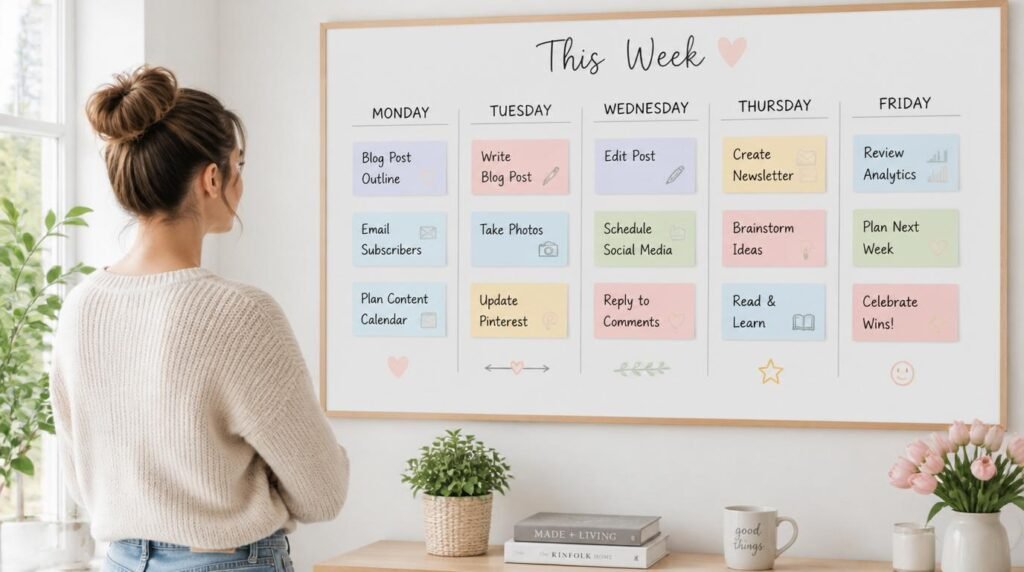
The workflow itself is boring on purpose, and that’s the point. Monday: I batch ideas and outlines in one chat session — ten topics, structured, in under an hour. Tuesday–Wednesday: drafting, one tool per stage, no jumping around. Thursday: edit with Grammarly and Hemingway, build visuals in Canva. Friday: publish and check Search Console for what to write next. Same rhythm every week, which means my brain stops asking “what tool now?” and just writes.
The rule underneath it all: three or four tools, each with one clear job. IMO the biggest lie sold to budget bloggers is that the next free tool is the one that finally unlocks everything. It isn’t. Mastery of a small stack beats dabbling in a huge one every time. And crucially — never publish what the AI hands you. Google’s spam policies come down hard on mass-produced, low-value content, and readers smell it instantly. Your lived experience, your opinion, your specific example: that’s the part no free tier can fake, and it’s exactly what makes a budget-built blog worth reading.
Free AI Tools for Bloggers on a Budget: Your Questions Answered
Are free AI tools for bloggers actually good enough to rank on Google?
Yes, when a human edits the output. Free AI tools handle drafts, outlines, and grammar well. Ranking still depends on original insight, accurate information, and genuine helpfulness — things the free tier gives you a head start on but can’t finish for you.
Will Google penalize my blog for using free AI writing tools?
No. Google’s guidance rewards helpful, reliable content regardless of how it was produced. What gets penalized is scaled, low-value content made to manipulate rankings. Use AI as an assistant, add your own experience, and you stay on the right side of that line.
What’s the real catch with free AI tool plans?
The catch is friction, not price. Free plans cap word counts, throttle speed at busy times, gate the best models, and limit exports. These limits are designed to make you feel the ceiling so you eventually upgrade. Knowing that lets you plan around it.
Which free AI tool should a blogger on a budget start with first?
Start with one strong chat model, such as ChatGPT’s free tier or Google Gemini, plus Grammarly’s free plan. That pairing covers ideas, drafting, and editing. Add a design tool and a keyword tool only once you feel the first two saving you real time.
How do I avoid burnout when juggling multiple free AI tools?
Limit yourself to three or four tools with clear jobs, batch similar tasks into single sessions, and stop switching mid-draft. Most burnout comes from tool-hopping, not from writing. Fewer tools used deliberately beat a dozen used at random.
My Top Recommended Gear
- A quiet ergonomic keyboard — you’ll type a lot; your wrists will thank you after the third post of the day.
- An adjustable laptop stand — raising the screen to eye level was the single cheapest fix for the neck ache that used to end my writing sessions early.
- A classic book on clear writing — no AI tool teaches voice; a good writing book does, and it pays off in every post you’ll ever publish.
Disclaimer: This post contains affiliate links. As an Amazon Associate, I may earn a commission from qualifying purchases at no additional cost to you. I only recommend products I’ve personally tested or rigorously researched.